
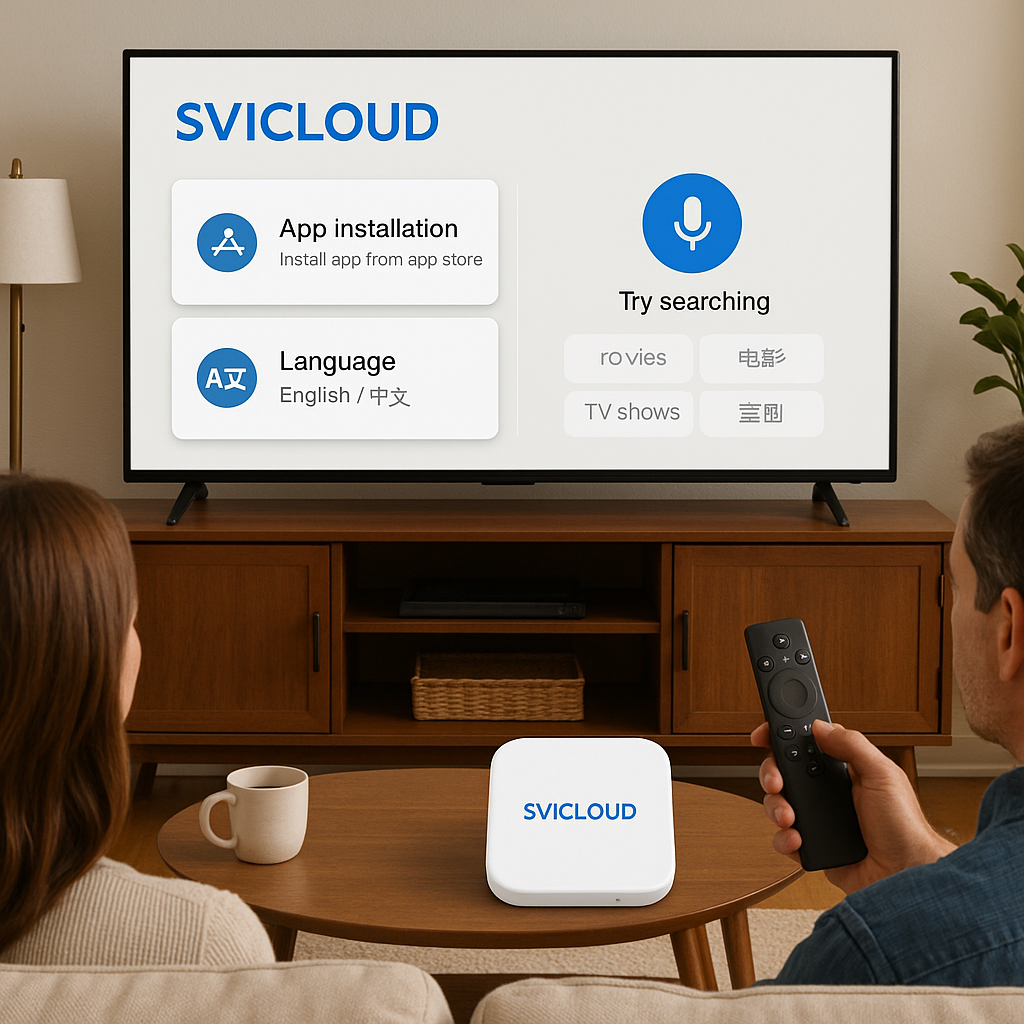
SVICLOUD App Installation and Language Switching Guide: Complete Guide for Chinese-American Users
Frequently Asked Questions
Q1: What language interfaces does the SVICLOUD App support? Is switching complicated? A: The SVICLOUD App provides complete Chinese-English bilingual interfaces, allowing users to switch with one click in settings. Whether you're an elder who prefers Chinese operation or a younger generation who prefers English interface, you can find the most comfortable user experience. The switching process takes only 3 seconds, and all functions and content will be synchronized.
Q2: When purchasing SVICLOUD products in the US, will there be language barriers during installation? A: Absolutely not! Our US warehouse stock delivery includes complete Chinese-English installation guides, and the App's built-in step-by-step tutorial automatically detects your system language. Additionally, our bilingual customer service team provides 24-hour real-time support. No matter what installation issues you encounter, you can get assistance in your most familiar language.
Q3: If problems occur during App usage, what does the warranty service cover? A: SVICLOUD provides industry-leading one-year US warranty service, covering hardware failures, software issues, and remote technical assistance. We have service locations in major US cities, offering on-site repair options. The App's built-in diagnostic tool can quickly locate problems and provide solutions, with most issues resolved immediately through remote assistance.
US Warehouse Advantages: Localized Delivery Experience
Nationwide Warehouse Stock Strategy
SVICLOUD has established a complete warehouse distribution network in the US, with dual hubs on the East and West coasts ensuring all US users enjoy fast delivery service. Our US warehouse stock strategy not only shortens delivery cycles but more importantly provides Chinese-American users with a localized shopping experience.
Take Mr. Zhang from San Jose, California, as an example. He ordered a 10P+ set-top box through the SVICLOUD App on Friday afternoon. Since we had sufficient stock in our West Coast warehouse, the product was delivered to his home on Monday. In comparison, direct import from Asia typically requires 2-3 weeks of shipping time.
Real-time Inventory Query Function
The SVICLOUD App features a built-in real-time inventory query system, allowing users to directly check local warehouse status and estimated arrival dates within the App. This function is particularly useful for users who need products urgently.
Ms. Li from New York shared her experience: "I needed to install a Chinese TV box for my parents over the weekend. Through the App query, I found the East Coast warehouse had stock. I placed the order that day and received it the next day. The App's inventory display function allowed me to accurately plan the installation time."
Regional Delivery Optimization
Our delivery network is optimized for US geographical characteristics. The East Coast warehouse primarily serves cities like New York, Boston, and Washington DC, while the West Coast warehouse covers Los Angeles, San Francisco, Seattle, and other areas. Central regions are served by the nearest warehouse, ensuring all US users receive consistent fast delivery experience.
Mr. Wang from Houston, Texas, said: "I was originally worried that living in the central region would affect delivery speed, but the actual experience was excellent. From order to delivery took only 4 business days, faster than I expected."
Bilingual Customer Service: Eliminating Communication Barriers
24-Hour Chinese-English Customer Service Team
SVICLOUD's bilingual customer service team is one of our core service advantages. We deeply understand the importance of language communication, especially for technical product installation and usage. Our customer service team is not only fluent in Chinese and English but more importantly understands the usage habits and needs of Chinese-American users.
Mr. Chen from Chicago encountered network setup issues during installation and contacted customer service through the App's instant chat function. "The customer service representative explained each step in fluent Chinese and patiently waited for me to complete each operation. This service experience made me feel very reassured."
App Built-in Instant Chat Function
The SVICLOUD App's instant chat function supports Chinese input and voice customer service options, allowing users to choose text or voice communication methods according to their preferences. This function is particularly suitable for elderly users who may not be familiar with English technical terminology.
Grandma Lin from Seattle received assistance through the voice customer service function: "I'm not good at typing, but I can speak directly. The customer service lady was very patient, explaining each step in words I could understand, and would confirm whether I understood."
Multi-channel Support Channels
In addition to instant chat within the App, we also provide phone, email, and social media contact methods. Users of different age groups have different communication preferences, and our multi-channel strategy ensures every user can get support in the most comfortable way.
Localized FAQ Database
We have established a Chinese-English bilingual FAQ database covering installation, language switching, and common issues. This database not only includes technical problem solutions but also covers usage scenarios specific to US users, such as time zone settings and local channel configuration.
Complete After-sales Warranty: Industry-leading Service
One-year US Warranty Commitment
SVICLOUD provides industry-leading one-year US warranty service. This warranty not only covers hardware failures but also includes software issues and technical support. Our warranty service is completely executed within the US, with no need to send products back to Asia for repair.
Mr. Huang from Boston encountered hardware issues after 8 months of use. He submitted a warranty application through the App, and the customer service team arranged on-site repair service within 24 hours. "The technician arrived on time, not only fixed the problem but also upgraded me to the latest software version. The entire process was completely free, and the service quality exceeded expectations."
Remote Technical Assistance
The SVICLOUD App features built-in diagnostic tools that can quickly locate problems and provide solutions. Most software issues can be resolved immediately through remote assistance without waiting for technicians to visit.
Mr. Liu from Miami shared: "My set-top box suddenly couldn't connect to the network. Through the App's diagnostic tool, I discovered it was a router configuration issue. Customer service remotely assisted me in reconfiguring, and the problem was solved in 5 minutes."
On-site Repair Options
For hardware issues that cannot be resolved remotely, we provide on-site repair services in major US cities. Technicians are professionally trained to handle various technical issues and have Chinese-English communication capabilities.
Warranty Extension Plans
Users can flexibly purchase additional protection plans within the App to extend warranty periods or increase coverage. This service allows users to customize protection plans according to their usage needs.
Localized Installation Experience: Simplified Setup Process
App Built-in Step-by-step Tutorial
The SVICLOUD App's installation tutorial automatically detects the user's system language and provides corresponding Chinese or English guidance. The tutorial uses a step-by-step design with clear graphic and text explanations for each step, ensuring users can successfully complete installation.
Mr. Yang from San Francisco said: "I'm not very familiar with technology, but following the App's tutorial step by step, I quickly completed the installation. Each step has screenshot explanations, making it very easy to understand."
Video Installation Guide
In addition to graphic tutorials, we also provide video installation guides with Chinese subtitles and English narration. This multimedia teaching method accommodates users with different learning preferences, especially visual learners.
One-click Language Switching
The SVICLOUD App's language switching function is designed very user-friendly, allowing users to switch between Chinese and English interfaces anytime in settings. The switching process doesn't affect any personal settings or favorite content, ensuring continuity of user experience.
The Zhao family in Los Angeles has three generations using the same device - grandparents prefer Chinese interface while grandchildren prefer English. "The one-click switching function allows our whole family to use it comfortably without arguing over language issues."
Localized Quick Start Guide
Our quick start guide has been localized for US power specifications, network environments, and usage habits. The guide includes setup methods for common US router brands, time zone configuration, and local channel scanning practical information.
Real Usage Case Analysis
Case 1: Multi-generational Family Language Needs
The Wang family living in New Jersey is a typical three-generation household. Grandparents only speak Chinese, parents are bilingual, and children are accustomed to English environments. The SVICLOUD App's bilingual switching function perfectly solved this family's needs.
Mr. Wang shared: "In the morning when grandparents watch Chinese news, we use the Chinese interface. In the evening when children watch cartoons, we switch to the English interface. The entire process is very smooth, and everyone can operate in their most comfortable language."
Case 2: Tech Novice Installation Experience
Ms. Li from Atlanta considers herself a "tech novice" and always feels nervous about installing electronic products. But the SVICLOUD App's step-by-step tutorial allowed her to successfully complete installation.
"I followed the App's Chinese tutorial step by step, and each step had clear picture explanations. When I encountered something I didn't understand, I used the App's chat function to ask customer service, and they patiently explained in Chinese. The entire installation process was much simpler than I imagined."
Case 3: Business Professional Efficiency Needs
Mr. Zhang, working in Silicon Valley, frequently needs to switch between Chinese and English environments and requires efficient operation experience. The SVICLOUD App's quick switching function completely met his needs.
"When I watch Chinese programs at home, I use the Chinese interface. When I need to demonstrate to colleagues at work, I can immediately switch to the English interface. This flexibility is very helpful for my work."
Technical Support and Troubleshooting
Quick Resolution of Common Issues
The SVICLOUD App features a built-in intelligent diagnostic system that can automatically detect common issues and provide solutions. The system covers common technical issues such as network connection, picture quality adjustment, and audio settings.
Remote Assistance Technology
Our technical support team can provide remote assistance through the App, directly accessing users' devices for problem diagnosis and repair. This service greatly shortens problem resolution time, eliminating the need for users to wait for technician visits.
Preventive Maintenance Reminders
The App regularly reminds users to perform system updates and maintenance checks, preventing potential problems. This proactive service ensures devices always maintain optimal operating condition.
User Experience Optimization
Personalized Settings
The SVICLOUD App allows users to adjust interface layout, font size, color themes, and other settings according to personal preferences. These personalized options are retained during language switching, ensuring each user gets the most suitable experience.
Accessibility Features
We pay special attention to elderly users' needs. The App provides large font mode, high contrast display, voice navigation, and other accessibility features. These designs allow users with poor vision or operation difficulties to use easily.
Family Sharing Function
The SVICLOUD App supports family sharing function, allowing different family members to create personal profiles and save their respective language preferences, favorite lists, and viewing history. This function is particularly suitable for multi-generational Chinese-American families.
Community Support and Learning Resources
User Community Platform
We have established an active user community platform where users can share experiences, exchange tips, and receive peer support. The community provides Chinese-English bilingual environment, promoting communication between users of different backgrounds.
Online Learning Resources
In addition to basic installation tutorials, we provide advanced function teaching, usage tip sharing, FAQ, and other rich learning resources. These resources are available in both Chinese and English versions, meeting different users' learning needs.
Regular Updates and Improvements
We continuously collect user feedback and regularly update App functions and interface design. Each update synchronizes Chinese and English versions, ensuring complete functional consistency between both language versions.
Future Development and Innovation
AI Smart Assistant
We are developing AI smart assistant functionality that will provide more intelligent Chinese-English voice interaction experience. Users can inquire in natural language
SVICLOUD App Installation and Language Switching Guide (English/Chinese Interface) | Chinese/English Interface and Voice Search for Easy Elder Operation
SVICLOUD App Installation and Language Switching Guide (English/Chinese Interface) | SVICLOUD 10P+ 4K HDR Streaming and Dolby Audio Experience
Recommended Further Reading
- SVICLOUD Plan Comparison — Quick comparison of 10P+ and 10S features, prices, and gifts.
- SVICLOUD US Official Website — Check stock inventory and US local discounts.
- US Customer Service and After-sales Support — Schedule Chinese customer service for installation assistance or repairs.
Next Step: Test SVICLOUD Flagship Box
- Schedule 4K HDR + Dolby Audio demonstration, experience cinema-level audio and video
- Inquire about Wi-Fi 6 placement and Mesh configuration to solve lag and delay
- Have specialists remotely configure App, language, and parental PIN
Fill out the form or call +1 (520) 641-7021 for one-on-one consultation from SVICLOUD US product advisors.
- Phone: +1 (520) 641-7021
- Email: [email protected]
- Online Form