
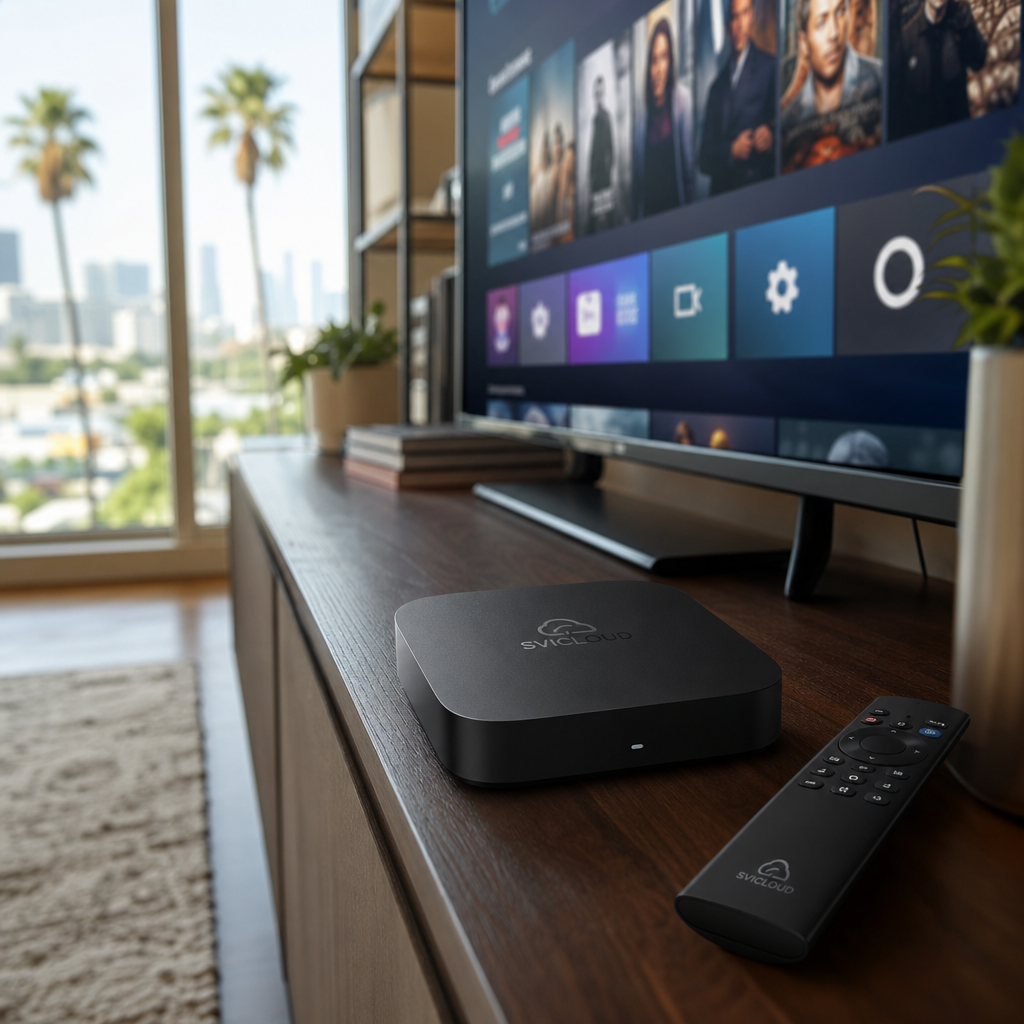
When using a SVICLOUD TV box in the United States, if you run into device issues, accessory problems, or simply want to confirm how after-sales support works, the most important first step is usually not to rush to decide whether it is covered by warranty, but to organize the warranty conditions and purchase information clearly first. This article will help you understand “How to Check the Warranty for a SVICLOUD TV Box in the U.S.” in a more easy-to-understand way, including the basic concept of a one-year U.S. warranty, common situations that are not covered, and what information is recommended to prepare before contacting customer service.
This article explains things based on general after-sales evaluation logic and local U.S. service procedures. Whether something actually qualifies for warranty coverage and how it will be handled afterward should still be confirmed by official customer service, and no extended promises beyond official information are made.
What is the U.S. warranty for a SVICLOUD TV box?
For many users living in California, New York, or Texas, when buying audio-visual equipment, besides functionality and user experience, clear after-sales support is also important. Especially if the device was purchased locally in the U.S. and is also used in the U.S., people often hope the warranty and customer service process can connect directly, without needing back-and-forth confirmation across regions.
What is called a “U.S. warranty” is usually not just a simple “it has warranty” statement. The key point is that after-sales evaluation, contact channels, information verification, and follow-up handling are carried out according to the purchase and service process for the U.S. region. For users, the biggest benefit is more centralized communication, easier matching of records, and usually clearer handling steps.
What is a U.S. warranty?
In simple terms, a U.S. warranty usually means:
- Purchase records from the U.S. region are used as the basis for verification
- The U.S. after-sales or customer service process assists with the evaluation
- Whether the conditions are met is confirmed according to the purchase source, product condition, and supporting documents
- Mainly handles functional issues or device problems caused by non-human factors
It is important to note that warranty is not only about whether the product is broken. It also depends on:
- Whether proof of purchase can be provided
- Whether the order can be traced to a recognizable source
- Whether the product remains in its original condition
- Whether the issue falls within the warranty coverage scope
If you purchased from the official U.S. website or from a traceable sales channel, the verification process is usually smoother than if there is no order record at all.
What does a one-year warranty mean?
When people mention a “one-year U.S. warranty,” many users first wonder: does that mean any problem within one year can be handled for free? That understanding is actually not complete.
Generally speaking, a one-year warranty is a common after-sales arrangement. It usually means that from the date of purchase, within a certain period, if the product has a qualifying non-human abnormality, customer service may provide preliminary evaluation and follow-up explanation based on the actual situation. However, this does not mean that every issue will automatically fall within warranty coverage.
A more reliable way to understand it is:
- One year is a common warranty period baseline
- Whether it qualifies still depends on the purchase terms and actual situation
- Different causes of failure may be assessed differently
- The final acceptance result is still subject to customer service verification
If you want to learn more about product and after-sales information in the U.S. region, you can also refer to the SVICLOUD U.S. official website and SVICLOUD FAQ.
Warranty does not mean every situation is free to handle
This is one of the easiest misconceptions. The purpose of a warranty is mainly to handle device issues that meet the conditions, but not every situation will be considered a warranty case.
The following situations usually require special attention:
- Human-caused damage, such as dropping, water damage, or impact
- Abnormalities caused by improper use
- Self-disassembly, modification, or replacement of parts
- Missing verifiable proof of purchase
- Purchase from non-authorized or untraceable channels
- Obvious signs of external damage on the appearance
Even if the issue looks like a device malfunction, customer service may still need to review photos, videos, or order information before making a preliminary assessment. Therefore, the most practical approach is not to conclude on your own, but to first organize the information and let customer service assess it.
How can you quickly tell whether your SVICLOUD TV box is still under warranty?
If the SVICLOUD TV box you currently have is showing abnormal behavior and you want to do an initial check yourself, you can start from a few basic directions. This does not mean you can fully determine warranty eligibility on your own, but it can help you understand your situation faster before contacting customer service.
First, check the purchase date
Warranty usually starts from the purchase date, so the first thing to look for is information that can prove when you bought it. This does not have to be a paper receipt; in many cases, electronic orders, email confirmation messages, and platform transaction records are also important.
It is recommended to first confirm the following information:
- Order date
- Payment completion date
- Shipping date
- Delivery record
- Invoice or receipt date
If your order was purchased a few months ago and the records are complete, later verification is usually easier. If the purchase time was long ago and the information is incomplete, that does not mean you cannot ask, but customer service may need more supporting information.
Confirm the purchase source
The purchase source is usually very important in warranty evaluation. The reason is simple: customer service needs to confirm whether the product source can be traced and whether the order information matches.
You can ask yourself a few questions:
- Was it purchased from the official website?
- Was it purchased from a traceable sales channel?
- Have you kept the complete order number?
- Can you find payment or shipping records?
- If it was purchased from a third-party platform, is the seller information clear?
If you are still comparing different models and after-sales information, you can also refer to the SVICLOUD plan comparison to learn the basic differences and related information between SVICLOUD 10P+ and SVICLOUD 10S.
Check the product condition
In addition to purchase records, the current condition of the product also affects warranty evaluation. Even if it is still within the warranty period, if the device has been opened, parts have been replaced by the user, or there is obvious external damage, the handling method may be different.
It is recommended to first check:
- Whether the device casing is intact
- Whether it has ever been disassembled
- Whether there have been any non-original modifications
- Whether the accessories are the original included items
- Whether there are signs of drops, cracks, deformation, or liquid exposure
If you are not sure whether a certain condition will affect the warranty, the safest approach is still to take photos to preserve the current condition and then contact customer service for advice.
Basic information often needed for warranty evaluation
The following information is often used when contacting customer service. Preparing it in advance usually saves a lot of back-and-forth.
| Information item | Purpose |
|---|---|
| Order number | Verify purchase record |
| Purchase date | Confirm whether it is within the warranty period |
| Product model | Distinguish device specifications and corresponding handling method |
| Serial number | Further verify the product identity |
| Problem description | Help customer service understand the abnormal situation initially |
| Photos or videos | Assist in determining whether further inspection is needed |
If you do not have complete information right now, you can first organize what you do have and then ask about the next steps through U.S. customer service and after-sales support.
What information should you prepare before contacting customer service?
Many warranty cases get delayed not because the issue is too complicated, but because the initial information provided is incomplete. If you can do some basic organization before contacting customer service, the whole process is often much more efficient.
Order and proof of purchase
This is the top priority. Even if the device really has a problem, if there is no purchase record at all, customer service usually has difficulty verifying it further.
Recommended items to prepare:
- Screenshot of the electronic order
- Email order confirmation
- Invoice or receipt
- Recipient name
- Mailing address used at the time
- Name of the purchase platform
- Screenshot of payment record (if customer service later needs verification)
If you live in California, New York, or Texas and placed the order in the U.S. region, these records usually help customer service match the order source more quickly.
Product identification information
The order proves you made the purchase, but the product information helps customer service confirm which device it is and what its current condition is.
Recommended items to prepare:
- Product model
- Product serial number
- Photo of the box label
- Front and back photos of the device itself
- Photos of accessories (if the issue is related to accessories)
When taking photos, try to keep them clear and well-lit, and avoid blurry shots or only partial views. If the serial number label is small, it is recommended to take one close-up and one overall photo.
Fault description
What customer service needs most is not necessarily a long story, but a problem description that is “clear, reproducible, and understandable.” You can list the key points in the simplest way.
It is recommended to include:
- When the problem first started
- Whether it happened suddenly or gradually worsened
- Whether it happens every time or only occasionally
- Whether it still happens after restarting
- Whether it occurs only under certain functions or operations
- Whether you have already tried basic troubleshooting
For example, a description like this is very clear:
- “There is a picture after booting, but it freezes a few minutes after entering the home screen.”
- “Replacing the HDMI cable did not change anything.”
- “Other devices on Wi-Fi are normal, but this device cannot stay connected stably.”
- “The issue started last week, and the frequency has increased recently.”
Supplementary materials that help with evaluation
Some problems are difficult for customer service to understand accurately based on text alone. In that case, supplementary materials are very helpful.
You can prepare:
- Photos of error messages
- Videos of abnormal screen behavior
- Photos of cable connections
- TV input source screen
- Brief description of the network environment
- Screenshots of the operation interface
If the issue is related to display, sound, or connectivity, videos are often easier to use for evaluation than a single photo.
What information, once prepared, can make customer service handling smoother?
Once you have organized your information, it not only makes it easier to submit the issue, but also reduces repeated questions from customer service. The following combinations of information are usually the most helpful for improving efficiency.
A clear problem description
A good problem description does not need to be highly technical, but it should ideally answer three things:
- Which function is abnormal
- Under what conditions it happens
- What checks you have already done
You can organize it directly in this format:
- Problem device:
- Problem start time:
- Problem symptom:
- Frequency:
- Checks already performed:
- Photos/videos attached:
This format is easy for customer service to read and makes it easier to respond quickly.
Consistent and complete order information
Sometimes the name, email, address, and order details provided by the user do not match, and customer service then needs more time to verify. If the device was purchased by a family member or ordered by a friend, it is also recommended to first organize the original purchase information.
Please try to confirm:
- Order name
- Order email
- Order number
- Shipping address
- Payment method information (if customer service requires verification)
If someone else purchased it for you, please first obtain the order screenshot or transaction record from that time before contacting customer service.
Photos and videos
Visual materials are very valuable, especially in remote after-sales processes. Customer service cannot physically touch the device, so the photos and videos you provide are almost the first-hand basis for evaluation.
It is recommended to prepare at least:
- Photo of the product exterior
- Photo of cable connections
- Photo of the error screen
- Video of the issue occurring
If you can capture the full process from normal operation to the abnormal issue appearing, it is usually the most informative.
Common basic checks to do first
Before contacting customer service, doing some basic checks is not to make your own final judgment, but to help narrow down the problem. Many situations that look like device failures may actually be related to power, cables, input source, or the network environment.
First, confirm the power and cables
Start with the most basic hardware connections, which is usually the most efficient approach.
Please first confirm:
- Whether the plug is firmly inserted
- Whether the power cable is loose
- Whether the HDMI connection is secure
- Whether the TV is set to the correct input source
- Whether the cable shows obvious damage or poor contact
If you have a replacement cable on hand, you can also do a cross-test to help determine whether the problem comes from the accessory.
Confirm the network connection
If the issue is related to playback not being smooth, unstable connection, or loading problems, the network environment is worth checking first.
Please confirm:
- Whether the Wi-Fi signal is stable
- Whether the router is working normally
- Whether other devices in the home have the same network issue
- Whether the device is too far from the router
- Whether the issue happens more often during peak hours
If you use the device in a large apartment or shared network environment in California, New York, or Texas, network fluctuations may sometimes be one of the causes.
Restart the device
Although this is the most basic step, many temporary issues can indeed improve after a restart.
You can try:
- Turning it off normally and then turning it back on
- Unplugging the power and reconnecting it after a short wait
- Letting the device complete the full startup process
- Observing whether the problem still appears
If it returns to normal briefly after restarting but soon becomes abnormal again, that phenomenon itself is also worth telling customer service.
Observe whether the problem can be reproduced
When evaluating an issue, customer service usually pays close attention to whether it can be reproduced consistently. This helps distinguish an occasional situation, an environmental factor, or a problem with the device itself.
You can observe:
- Does it only happen under one function?
- Are all functions abnormal?
- Is it the same after switching to another TV?
- Does changing the HDMI cable improve it?
- Does it still happen in another network environment?
Writing these results down is often more helpful than simply saying “it doesn’t work.”
If you want to apply for warranty, what does the process generally look like?
Although every case is different, the overall U.S. warranty process usually follows a few common steps. Understanding the process in advance can make you feel more at ease when contacting customer service and know what may happen next.
First contact customer service to confirm eligibility
Usually the first step is to provide order and product information so customer service can do an initial verification. The focus at this stage is not to make an immediate conclusion, but to first confirm:
- Whether the purchase record can be found
- Whether it is roughly within the warranty period
- Whether the problem description is clear enough
- Whether basic troubleshooting is needed first
If you have prepared your information, you can contact customer service directly through U.S. customer service and after-sales support and ask them to help confirm the next step.
Provide additional materials as requested
After the initial review, customer service may ask you to provide additional information. This is a very common process and does not necessarily mean there is a problem with the case; it simply means more complete evidence is needed for evaluation.
Possible additional items include:
- Clearer serial number photos
- Order or payment records
- Videos of the issue occurring
- Photos of cables and connections
- Screenshots of error screens
- A more detailed description of the usage scenario
The more complete the information, the smoother the follow-up handling usually is.
Wait for the next handling method
After verification is completed, customer service will provide follow-up instructions based on the actual situation. Different cases may have different handling methods, so it is not appropriate to generalize here.
Possible directions usually include:
- Recommending further inspection
- Explaining whether warranty conditions are met
- Providing follow-up repair or other handling suggestions
- Asking you to follow a specific process for further confirmation
The most important thing here is not to assume the result yourself. The actual arrangement should still be based on the official reply.
What are the advantages of local U.S. customer service?
For families using audio-visual equipment in the United States, the biggest value of local customer service is usually not a slogan, but practical convenience in communication. Especially when you need to verify an order, describe a fault, or confirm after-sales steps, local procedures are usually easier to connect with.
Communication is more direct
One of the advantages of local U.S. customer service is that when handling purchases and usage scenarios in the U.S. region, it is usually easier to correspond to actual needs, such as:
- More familiar order formats
- Easier verification of address and regional information
- Less impact from time zone differences during communication
- More direct understanding of local after-sales needs
For users in different time zones or with a fast-paced lifestyle in places like California, New York, or Texas, being able to explain the issue quickly is itself an important part of the user experience.
Better suited for local warranty issues
If both the purchase location and usage location are in the U.S., the verification process is usually more focused, and there is a better chance of reducing the cost of repeated information requests.
Common advantages include:
- Purchase records are easier to match
- Shipping information and usage location are consistent
- The after-sales process is easier to understand
- Problem localization is more focused on the local usage scenario
Of course, this does not mean every case will be completed quickly, because it still depends on whether the information is complete, whether the issue is clear, and the actual operating process of customer service at the time.
Actual customer service hours and replies still apply
Even with local U.S. customer service, handling still depends on business hours and case procedures. A more realistic expectation is:
- Submit complete information first
- Provide additional materials as requested by customer service
- Watch for replies by email or contact method
- Wait patiently for the official evaluation
If you want to first review common installation, setup, and warranty details, you can also read the SVICLOUD FAQ.
When should you avoid disassembling the device yourself?
Many users want to open the device and inspect it themselves when they encounter a problem. But if you are still in the warranty verification stage, self-disassembly is usually not the best first step.
Avoid affecting the evaluation before warranty is confirmed
If the device may still be within the warranty period, self-disassembly, modifications, or attempts to replace internal parts may make the later evaluation more complicated. During verification, customer service usually needs to determine whether the product remains in its original condition.
Recommended approach:
- Keep the device in its current condition
- Take photos to document the exterior
- Do not arbitrarily open the casing
- If you are unsure whether you can handle it yourself, ask customer service first
Doing this not only protects the warranty evaluation but also helps avoid turning a simple issue into something harder to handle.
Avoid additional damage
Unprofessional disassembly or reassembly sometimes causes new issues, such as loose connectors, damaged parts, or making the original problem harder to diagnose.
Especially in the following situations, it is better not to disassemble the device yourself:
- You still cannot determine the source of the problem
- You have not contacted customer service yet
- You do not have the proper tools or experience
- The device exterior and serial markings still need to be kept for verification
If you have already taken photos and recorded videos, then handing the issue over to customer service for the next step is usually safer.
FAQ
Here are a few common questions from users to help you build a basic understanding before contacting customer service.
I did not keep a paper receipt. Can I still apply?
Possibly, but it depends on whether you can provide other verifiable proof of purchase. In many cases, electronic orders, email confirmations, platform transaction records, and payment screenshots can help.
It is recommended to first organize:
- Order screenshots
- Email confirmation
- Payment records
- Shipping information
Whether this is sufficient as a basis for warranty verification still depends on customer service confirmation.
If it was a gift from a friend, can the warranty still be checked?
It can be checked first, but usually the original purchase information is needed. This is because warranty evaluation often still returns to the original purchase record and order details.
If it was given by a friend or relative, it is recommended to first obtain from them:
- Original order number
- Purchase date
- Name of the purchase platform
- Receipt or email record
If there is no source information at all, customer service may have difficulty verifying it directly.
What if the serial number is hard to read?
Do not rush to disassemble the device yourself. You can first take photos of the device from different angles, photos of the box label, and confirm whether there are other identifiable markings.
If the label is worn or the text is unclear, it is recommended to:
- Retake the photo in good lighting
- Use close-up mode
- Provide both box and device photos
- Attach order information so customer service can cross-check
If the issue only happens occasionally, do I still need to record a video?
Yes, it is recommended. Even if it does not happen every time, capturing one complete occurrence is very helpful for customer service evaluation.
In particular, videos are usually more effective than text for situations such as:
- Screen flickering
- No sound
- Intermittent lag
- Abnormality appearing again after restarting
- A specific operation consistently triggering the issue
I already did my own troubleshooting. Do I still need to contact customer service?
If the problem persists, it is still recommended to contact customer service. The purpose of basic troubleshooting is to help narrow the scope, not to replace the official evaluation.
When contacting them, you can directly explain:
- You replaced the cable
- You restarted the device
- You tested a different TV
- You confirmed the home network is normal
This information helps customer service understand your situation more quickly.
Will warranty evaluation be different for users in California, New York, or Texas?
Generally speaking, warranty evaluation still focuses on the purchase source, purchase date, product condition, and actual issue, and will not change the basic principle just because of the state. However, local U.S. customer service is usually more convenient when verifying U.S. orders and usage scenarios.
Whether a specific case is accepted and how it is handled should still be subject to the customer service reply.
Prepare the information first, then contact customer service, and you’ll usually save more time
If you are looking for “How to Check the Warranty for a SVICLOUD TV Box in the U.S.,” the most important conclusion is actually very simple: do not judge based only on feeling whether it is covered. Instead, first organize the purchase information, confirm the product condition, record the fault symptoms, and then let customer service help verify it. This not only reduces back-and-forth communication, but also makes the entire after-sales process clearer.
Next, you can check the following information according to your needs:
- To learn about the product and after-sales information: SVICLOUD U.S. official website
- To compare SVICLOUD 10P+ and SVICLOUD 10S: SVICLOUD plan comparison
- To directly ask about installation, warranty, or after-sales support: U.S. customer service and after-sales support
- To first review common setup and warranty questions: SVICLOUD FAQ
If you already have the order number, product photos, and a problem description, you can usually start organizing the information now to make future communication with customer service smoother.