
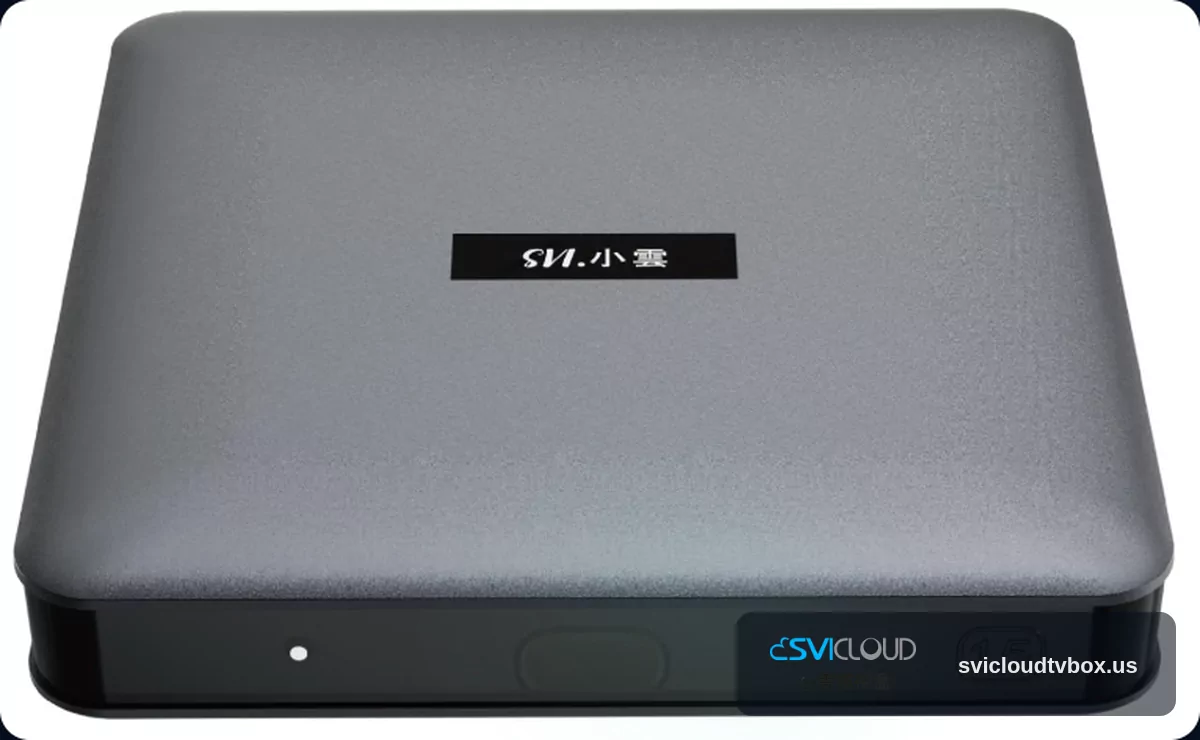
Many families, when choosing a living room TV box, consider not just the spec sheet, but whether everyone at home can use it smoothly. If your household includes seniors or children, or if you live in places like California, New York, or Texas where home internet conditions can vary, then the priorities after setup are stability, clarity, and ease of use. That is very different from choosing a device for personal use in a private room.
This article focuses on the confirmed hardware specifications of SVICLOUD 15P, and analyzes whether it is suitable for seniors and the family living room based on Android 14, 4 GB RAM / 64 GB storage, Wi‑Fi 6, RJ45 wired networking, Bluetooth 5.4 voice remote, HDMI 2.1, 4K HDR, and AV1 hardware decoding. This article does not discuss unverified content services; the emphasis is on hardware, installation, operation, and shared household use.
First: Why is SVICLOUD 15P suitable for family living rooms and senior users?
If we start with the conclusion, SVICLOUD 15P is overall a model that leans toward being suitable for family living rooms and senior users, provided that the main needs are: comfortable viewing on a large screen, simple day-to-day operation, smooth use when shared by multiple people, and a preference for more stable network options after installation.
It is suitable for family scenarios not because of a single specification, but because several conditions come together well:
- Android 14: a newer system environment
- 4 GB DDR3 RAM + 64 GB eMMC: more room for typical fixed living room use
- Bluetooth voice remote: friendlier for senior operation
- Dual-band Wi‑Fi 6 + RJ45 wired networking: flexible for home installation
- HDMI 2.1 + 4K HDR: fits living room TV connection needs
- AV1 hardware decoding: better aligned with modern video formats
If your home matches the following situations, the 15P is more likely to meet your needs:
- The TV box is mainly used in the living room and is not moved around often
- Seniors want to “press a few buttons and start watching”
- Family members will take turns using the same device
- The home network environment is not always stable, so both Wi‑Fi and wired options are desirable
- You want a family member to help with setup first, then have seniors use it in a simpler daily routine
On the other hand, if you need something extremely advanced, complex, or experimental with multiple devices, then the evaluation will be different. But if the core use case is shared family use, then SVICLOUD 15P’s hardware combination does look like it was prepared for a living room scenario.
What does Android 14 bring to family use?
When many people see Android 14, their first reaction is, “It’s just a newer version, does it really matter?” For a family living room, the difference often isn’t flashy features, but rather the logic of daily use, interface compatibility, and long-term maintenance experience.
For younger family members, a newer Android system usually means the operation flow is closer to what they already know from common Android devices. This is helpful when you are helping parents or seniors set things up, because it is easier to explain menus and settings using familiar habits rather than forcing everyone to adjust to an older interface style.
Practical value at the system level
From a family perspective, Android 14 helps mainly in these ways:
- It is closer to the current app environment
- It is usually easier for family members to understand when helping with setup
- Day-to-day use is less likely to feel very different from other modern devices
- For a device that stays in the living room and is shared by multiple people, it better fits a long-term usage mindset
This does not mean seniors will directly feel that “Android 14 is amazing.” Rather, they are more likely to feel that: once it is set up, daily use does not keep getting stuck in unfamiliar steps.
What seniors notice most easily
For seniors, what really matters is usually not the system version itself, but:
- Can the home screen be understood easily?
- Are the common entry points easy to find?
- Is the remote control too complicated?
- If they forget something, can family members help quickly, either remotely or after coming home?
So if a senior already has some basic familiarity with Android phones or tablets, Android 14 is usually easier to adapt to. This becomes even simpler when paired with a voice remote, since many typing tasks can be reduced.
Family installation tip: have a family member complete the basic setup first
Whether you live in a California apartment, a small New York residence, or a larger detached home in Texas, the first installation should ideally be completed by a family member who is familiar with the device. That way, seniors only need to learn a few fixed steps later, instead of exploring everything from scratch.
Suggested setup tasks:
- Complete the basic network connection
- Put common entry points at the front
- Reduce unnecessary options and distractions
- First teach the three core actions: “Back,” “Home,” and “Voice Search”
For seniors, one less menu means one less moment of frustration.
Is 4 GB / 64 GB enough for family sharing?
Many families ask when buying a TV box: “Is 4 GB RAM and 64 GB storage enough?” If the use case is fixed living room use, shared by the whole family, and centered on everyday video needs, then this configuration is usually reasonable and practical.
The family usefulness of 4 GB DDR3 RAM
The meaning of 4 GB of memory is not to chase benchmark numbers, but to give the device some room when switching interfaces, entering and leaving features, or being used by different family members in turn. A family living room device is different from a personal phone: it is often more like “whoever has the remote uses it,” so stability and smoothness matter more than extreme performance.
For most households, 4 GB RAM is better suited to these situations:
- Daily fixed living room use
- Family members taking turns operating it
- No need for highly complex use cases
- Wanting a smoother basic experience during startup and switching operations
If your expectation is “one device should handle every high-load need,” then you should compare use cases more carefully. But if the question is whether it is enough for family sharing, 4 GB is a practical, usable configuration.
What 64 GB eMMC storage means
64 GB is actually important for family sharing, because when multiple people use a device, settings and apps tend to accumulate more quickly. If storage is too small, cleaning and organizing it becomes someone in the household’s permanent job.
The family value of 64 GB storage is roughly:
- Enough room for daily system use and common apps
- Less likely to require early cleanup due to storage pressure
- Lower management burden for a device that stays in the living room long-term
Of course, larger storage does not mean you never need to organize it. If family members like to install many features, it is still recommended that the main administrator check regularly and keep the home screen and functions simple.
Which families will feel this combination is just right?
These types of families are usually more suitable for a 4 GB / 64 GB setup:
- One device shared by the whole family
- Parents or seniors want stable operation without frequent issues
- Children, adults, and seniors all take turns watching the living room TV
- The main usage location is fixed and not moved between rooms often
If you are still comparing different models, you can also refer directly to SVICLOUD Plan Comparison to look at the differences between the 15P, 10P+, and 10S in family-use scenarios. That is usually easier than judging from the spec names alone.
Is the Bluetooth voice remote friendly for seniors?
If you want to pick the single most noticeable feature for “ease of use for seniors,” the Bluetooth voice remote almost certainly ranks near the top. Many seniors are not unwilling to use it; they just get stuck because typing is troublesome, the input method is hard to see, or they do not know how to switch between Chinese and alphanumeric input.
The real advantage of voice control
The most practical benefit of voice control is that it shortens the complicated input process. For seniors, speaking a keyword is usually much more natural than slowly selecting characters on a TV.
It is especially suitable for these situations:
- Vision is not ideal and the text is too small to read
- They are not familiar with the remote’s input method
- They forget how to spell or switch keyboards
- They want to reduce the number of steps
The distance in a family living room makes this advantage even more obvious. When people are sitting on the sofa with some distance from the TV, the simpler and more intuitive the control method, the less frustration it creates.
Bluetooth connection is more convenient than traditional line-of-sight aiming
The 15P comes with Bluetooth 5.4 and a Bluetooth voice remote. For family use, the important thing about a Bluetooth remote is that you do not need to carefully point it at the device every time.
This difference is very practical in the living room:
- It is still easy to use even if your sitting posture changes
- Seniors do not have to guess whether they are pointing it correctly
- When multiple people take over the remote, angle issues are less likely to cause problems
- It offers greater flexibility when the living room has coffee tables, speakers, or more furniture
Many families think seniors are afraid of technology, but often what they are really afraid of is “I pressed it and nothing happened, so I don’t know if I did something wrong.” A Bluetooth remote reduces a lot of that uncertainty.
How should family members teach it for the best effect?
Rather than teaching too many functions at once, it is better to start with the three to five most commonly used actions. For seniors, learning a fixed routine matters more than knowing every feature.
Recommended teaching order:
1. Power on and return to the home screen 2. Go back one level 3. Voice search 4. Volume and directional keys 5. How to return to common entry points
You can also use simple Chinese labels or notes next to the remote, for example:
- Microphone: speak it
- House icon: home
- Back: previous page
This approach is often especially useful in multigenerational households in New York, or when seniors are home alone during the day in Texas.
Wi‑Fi 6 and RJ45 wired networking: which is better for the family living room?
The most overlooked thing about a family living room device is that the network method often affects the real experience more than the spec sheet. The same device can perform very differently in different homes. Apartments in California, high-rises in New York, and detached homes in Texas all have different wall structures, distances, and router placements, which affect performance.
SVICLOUD 15P offers both dual-band Wi‑Fi 6 and RJ45 wired networking, which is very valuable for families because you are not forced to rely on just one option.
The family advantage of Wi‑Fi 6
Wi‑Fi 6 is flexible, especially when there are many devices online at the same time. For families who do not want to run cables, who cannot easily change wiring in rented spaces, or whose TV and network port are too far apart in the living room, this is a practical advantage.
Situations that suit Wi‑Fi 6 include:
- The living room placement makes cabling inconvenient
- You are renting or living in an apartment and do not want additional installation work
- Many devices such as phones, tablets, and laptops are online at the same time
- You want more freedom in placing the TV stand
The family advantage of RJ45 wired networking
If there is a network port near the living room, or if you value stability, RJ45 wired networking is often the more direct choice. For a family-shared device, “fewer problems” is often more important than “one less cable.”
A wired connection is usually better for:
- Homes that already have a network port reserved in the living room
- Reducing the impact of wireless interference
- Households where many people are online at peak times
- Making daily use simpler for seniors
Especially in densely populated environments, such as New York apartments or some California condo communities, wireless interference may be more noticeable. In those cases, the wired option is worth prioritizing.
Family choice guide
| Family scenario | More suitable connection | Reason |
|---|---|---|
| There is already a network port in the living room | RJ45 wired networking | Direct installation, usually better stability |
| Renting, or cable routing is inconvenient | Wi‑Fi 6 | Flexible placement, low installation needs |
| Many devices are online at the same time | Evaluate based on the environment, prioritize the stable option | Actual experience still depends on the home network setup |
| Seniors use it in a simple fixed routine | If possible, prioritize wired | Easier to manage later |
| The TV stand is far from the router | Wi‑Fi 6 | No need to run a long cable |
The most practical advice is: if the environment allows, first try the most stable connection method; if cabling is inconvenient, then make use of Wi‑Fi 6’s flexibility. Every household’s network conditions are different, so the actual experience still depends on the home environment.
4K HDR and HDMI 2.1: how is the viewing performance on a living room large screen?
The biggest difference between a living room and a bedroom is “distance” and “shared viewing.” Living room viewing usually involves more people, a larger TV, and a greater viewing distance, so output specifications become more important. SVICLOUD 15P supports 4K HDR and includes HDMI 2.1, which is a plus for family large-screen scenarios.
The family video value of 4K HDR
From a practical, non-exaggerated perspective, the value of 4K HDR is that when the home TV supports the corresponding display capability, the overall viewing experience is more in line with modern large-screen expectations. After all, the living room is where the whole family watches together, so picture quality is more noticeable than on a personal small screen.
For families, the value of 4K HDR usually shows up in these ways:
- The picture is more in line with mainstream standards on large TVs
- Family members get a more complete experience when watching shows and videos together
- It is more meaningful in a shared living room viewing space
It should be noted that the actual picture experience still depends on the TV itself, the signal source, and the network environment. So the more accurate way to say it is that the 15P’s output specs support the image needs commonly seen in modern living rooms, rather than guaranteeing the same effect in every situation.
The meaning of HDMI 2.1 for connection
Many families fear not picture quality, but rather “After plugging it in, will I still need to study it for half a day?” HDMI 2.1 at least means that, in terms of connecting to a modern living room TV, it is relatively aligned with current mainstream device environments.
The practical meaning of this spec is:
- The connection to the TV is straightforward
- It better matches modern living room TV equipment
- It is not hard to understand for family installation
If you are installing it for parents, in-laws, or seniors in the household, this kind of “clear wiring, easy matching” advantage is actually very important.
Things to check before installing in the living room
Before deciding where to place it, it is recommended to check:
- Whether the TV has an available HDMI port
- Whether there is convenient access to power near the TV stand
- Whether the living room network port is close to the device position
- Whether the remote control distance is comfortable to use
- Whether the senior’s usual seat has a clear view of the menu
These may seem like small things, but they often directly affect how smoothly the device is used every day.
AV1 hardware decoding: what does it help with for family video use?
AV1 may be unfamiliar to ordinary families, but it is one of the common video format directions in recent years. SVICLOUD 15P supports AV1 hardware decoding, which means the device has dedicated hardware capability when dealing with compatible modern video formats.
Why is this worth noting?
For general readers, there is no need to deeply understand encoding principles. Just know this: hardware decoding is usually better suited to long-term video use than relying solely on software processing. For a device that stays in the living room and is often used to watch large-screen content, support for modern common formats is a solid advantage.
You can understand it in simpler terms:
- It has broader compatibility with newer video formats
- It has more reference value for long-term family use
- It is not only about current use, but also about suitability over the next few years
How should family readers view this spec?
If you are buying for yourself, you may want to study many technical details. But if you are choosing for parents or the family living room, the key point is simply: this is an added advantage for modern video compatibility.
It may not be the first reason you decide to buy it, but when you look at Android 14, Wi‑Fi 6, RJ45, the Bluetooth voice remote, and 4K HDR together, AV1 hardware decoding makes the overall setup feel more complete.
From the perspective of seniors and families, who is SVICLOUD 15P best for?
Putting the hardware and usage together, the 15P is not mainly for “spec enthusiasts,” but for the following family-oriented users.
Suitable family profiles
1. Families that mainly watch in the living room If the living room TV is used most often, rather than everyone watching on their own separate devices, then the 15P’s 4K HDR, HDMI 2.1, and Wi‑Fi 6 / RJ45 become more meaningful.
2. Families with seniors who want simpler operation The Bluetooth voice remote is especially helpful for seniors because it reduces the hassle of typing and pointing. As long as the family completes the initial setup, daily use is usually simpler.
3. Families that need one device shared by multiple people 4 GB RAM and 64 GB storage are practical for family sharing. The point is not to show off specs, but to make the living room device feel more like a home appliance than a toy that needs cleaning up every few days.
4. Families that value stability after installation If the home network environment is complicated, being able to choose between Wi‑Fi 6 and RJ45 is very useful. This can make a big difference across different states and housing types.
Who should compare more carefully first?
If your needs fall into the following categories, it is better to compare before deciding:
- You need a feature-by-feature scenario comparison with other models
- You have clear needs beyond family use
- You want to confirm whether your top priority is operation, networking, or video output
At that point, you can go directly to SVICLOUD Plan Comparison, which is easier than judging from a single product page alone.
Family installation and follow-up support: do these 5 things before seniors use it
No matter how good the hardware is, if the installation process is messy, seniors will still get stuck later. For families, the ideal approach is not to turn on every feature, but to organize it into a setup that seniors are willing to use every day.
Five recommended things to do first
- Decide on the network method first: use wired networking if possible, otherwise try Wi‑Fi 6
- Organize the home screen: put common features at the front and reduce unnecessary options
- Teach the basic buttons: Home, Back, and Voice Search are the most important
- Confirm the TV input source: avoid seniors not knowing how to return after switching inputs
- Prepare a short instruction card: write down 3 to 5 common steps
If your family needs help, check customer service and after-sales info first
For many Chinese families living in the United States, especially in areas like California, New York, and Texas where there are more Chinese households, people care not only about the hardware but also about who can help if something goes wrong later. If you value Chinese-language communication, installation questions, or warranty-related procedures, it is recommended that you confirm through the official channels directly.
According to the site policy, SVICLOUD 15P comes with the same one-year warranty in the U.S. If you want to learn about installation assistance, after-sales support, or warranty details before purchasing, you can check U.S. Customer Service and After-Sales Support and FAQ.
Conclusion: If you are looking for a device that is good for shared living room use and also considers senior-friendly operation, SVICLOUD 15P is worth putting on the list
Back to the original question: Is SVICLOUD 15P suitable for seniors and the family living room? If your focus is family sharing, ease of use for seniors, large-screen living room viewing, and having flexibility between wireless and wired networking, then the answer leans toward: yes, it is suitable, and the direction is clear.
Its strength is not in one dramatic feature, but in how the overall configuration is closely aligned with real family needs:
- Android 14 provides a newer system environment
- 4 GB / 64 GB is practical for shared living room use
- The Bluetooth voice remote is friendlier for seniors
- Wi‑Fi 6 and RJ45 provide network flexibility for the home
- 4K HDR, HDMI 2.1, and AV1 hardware decoding make large-screen use more complete
If you want to further confirm the specs, compare different models, or learn about local U.S. customer service and warranty information, you can start from the following pages:
- SVICLOUD 15P Official Product Page: view the confirmed specifications and current purchasing information for the 15P
- SVICLOUD Plan Comparison: compare the use cases of the 15P, 10P+, and 10S
- SVICLOUD U.S. Official Website: view official information
- U.S. Customer Service and After-Sales Support: ask about installation assistance and warranty-related questions
- SVICLOUD FAQ: learn about setup, payment, and warranty details
If you are choosing a device for your parents or the whole family to place in the living room, rather than only looking at the specs on paper, start from whether people will actually want to use it every day. From that perspective, SVICLOUD 15P is indeed a family-oriented choice worth serious consideration.