
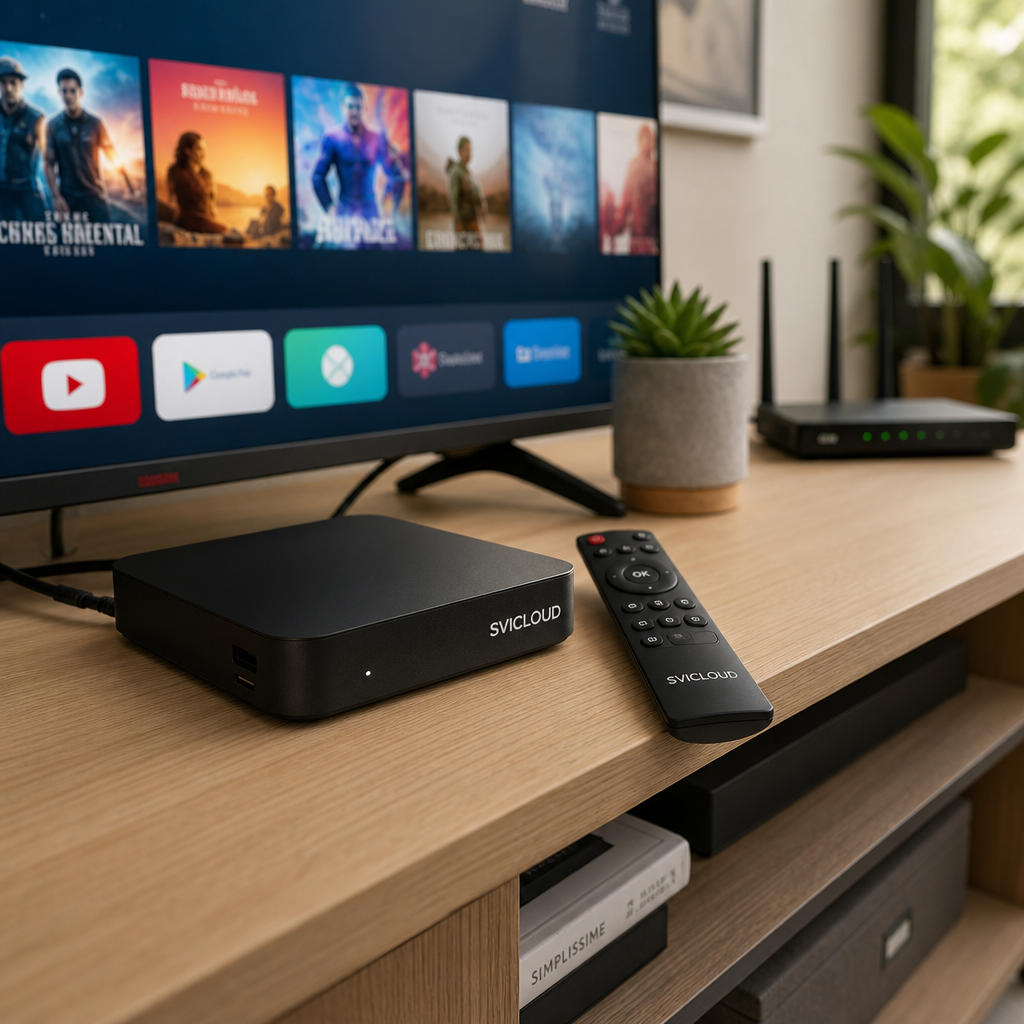
If you’re just getting started with the SVICLOUD TV box, one of the most common questions is: should you connect it to Wi‑Fi, or is it better to plug in an Ethernet cable directly? There isn’t just one answer. The key depends on where your router is, how your living room is set up, and whether you care more about easy setup or playback stability.
This article walks beginners through the differences between the two connection methods in a simple way, and combines common scenarios such as the living room, bedroom, and use by older family members to help you choose the setting that fits you faster.
First, the conclusion: who is Wi‑Fi suitable for, and who is Ethernet suitable for?
If you don’t want to go through too many details first, just remember one simple rule: if you want convenience and fast installation, try Wi‑Fi first; if you want better stability and more confidence during long playback, consider Ethernet first.
Many people assume that “Wi‑Fi is always worse” or “wired is always best,” but in reality, it still depends on your home environment. Especially in places like California, New York, and Texas, where housing types vary a lot, apartments, single-family homes, and townhomes often have very different network environments. The same TV box can feel different in each one.
If you care about “easy installation,” start with Wi‑Fi
The biggest advantage of Wi‑Fi is that it’s simple. You don’t need to run extra cables, and you don’t have to worry about whether there is a network port near the TV cabinet. As long as your home router already has internet access, you can usually get connected after powering on and entering the setup page.
Wi‑Fi is especially suitable for these users:
- The TV box is in the living room and not far from the router
- You don’t want an extra cable in the living room and want to keep things tidy
- This is your first installation and you want as few steps as possible
- You sometimes move the device and want flexibility
If your home isn’t very large, such as a typical apartment layout in New York, the router and TV cabinet may already be close enough that Wi‑Fi is more than enough.
If you care about “stable playback,” Ethernet is usually more suitable
If you often binge shows, watch live streams, or dislike buffering halfway through a video, wired connection is usually worth prioritizing.
That’s because Ethernet is less affected by factors such as:
- Wall obstructions
- Long distances
- Interference from neighbors or other wireless devices
- Multiple devices in the home using Wi‑Fi at the same time
This doesn’t mean Wi‑Fi is always unstable. It means that wired connections usually make it easier to maintain a consistent experience in many home environments. If you live in a larger single-family home in Texas, the router and the living room TV may be farther apart, and the advantage of Ethernet often becomes more obvious.
If older family members will be using it, how should you choose?
If the SVICLOUD TV box is for your parents or older family members, the decision can be even simpler: Choose whichever method lets it be used right after powering on, with the least need for reconfiguration later.
For older users, the most troublesome things are usually not the specifications, but these:
- Suddenly having to choose Wi‑Fi again
- Forgetting the password
- Signal getting worse after moving the device
- Not knowing why it works sometimes but not other times
So if you can fix the connection method from the beginning, day-to-day use is usually much easier. If the living room location is fixed and the device won’t be moved often, many families prefer to connect Ethernet directly. If running a cable is inconvenient and Wi‑Fi is stable, then using Wi‑Fi consistently is also fine.
What connection methods does the SVICLOUD TV box support?
Before deciding which one to use, it helps to understand what connection options the TV box itself supports.
Based on the specifications confirmed on the SVICLOUD 15P official product page, it supports both wireless and wired network connections, which gives beginners a lot of flexibility. In other words, you can start with Wi‑Fi first, and if you later decide you want something more stable, you can switch to an Ethernet cable.
Key network connection features supported by SVICLOUD 15P
SVICLOUD 15P has confirmed support for:
- Dual-band Wi‑Fi 6
- RJ45 Ethernet
- Bluetooth 5.4
- Bluetooth voice remote control
What does that mean? Quite simply, it means you are not limited to just one way of getting online. You can choose based on your home environment.
If your Wi‑Fi conditions are good, you can start wirelessly; if you want a fixed position and long-term stability, you can switch to an RJ45 Ethernet cable. Bluetooth is mainly for remote control pairing and is a different concept from the network connection used for watching videos.
Hardware features related to the viewing experience
Beyond whether it can connect to the internet, many people care more about this: once connected, does it feel smooth and clear?
Confirmed SVICLOUD 15P specifications include:
- Android 14
- 4 GB DDR3 RAM
- 64 GB eMMC storage
- 4K HDR
- AV1 hardware decoding
- HDMI 2.1
- Amlogic S905Y5 quad-core ARM Cortex-A55
The point of these specs is not for you to memorize them, but to help you understand one thing: This article is not only about “whether it can go online,” but about which connection method better fits your actual usage so your audio and video experience can stay more stable.
If you also want to compare the usage scenarios of SVICLOUD 15P, SVICLOUD 10P+, and SVICLOUD 10S, you can check the official comparison page. For now, this article focuses on choosing between Wi‑Fi and Ethernet.
What is the real difference between Wi‑Fi and Ethernet?
Many beginners ask: “Since both can go online, is the difference really that big?” The answer is: sometimes the difference is small, but in some home environments, it can be very noticeable.
The easiest way to understand it is as a trade-off between “convenience” and “stability.” The table below gives a quick overview.
| Comparison Item | Wi‑Fi | Ethernet |
|---|---|---|
| Setup speed | Fast | Moderate |
| Living room tidiness | High | Depends on cable routing |
| Placement flexibility | High | Lower |
| Distance sensitivity | More noticeable | Smaller |
| Wall obstruction impact | More noticeable | Smaller |
| Long-term stable playback | Depends on environment | Usually more stable |
| Ease of use for older family members | Simple if kept fixed | Usually more intuitive once fixed |
Advantages of Wi‑Fi
The biggest advantage of Wi‑Fi is convenience. You don’t need to think about cable routing, and you don’t have to run a cable from the router to the TV cabinet. This is especially important in rental homes or places where wiring changes are inconvenient.
Common advantages of Wi‑Fi include:
- Easy installation
- More flexible placement in the living room
- No extra wiring needed
- Easier when moving the device
For many families living in California apartments or condos, if the router is already near the living room, Wi‑Fi is usually enough for everyday use.
Possible limitations of Wi‑Fi
Wi‑Fi is convenient, but it is more easily affected by the environment. For example, if the router is in a bedroom and the TV is in the living room with several walls in between, the signal may weaken.
Common factors that affect it include:
- Router is too far away
- Walls or large furniture block the signal
- Many devices are connected at the same time at home
- Too many nearby wireless signals causing interference
This can happen in multi-unit homes in New York, in dense signal environments, or in larger homes in Texas. So Wi‑Fi is not unusable; it just depends on whether your environment is suitable.
Advantages of Ethernet
The core advantage of wired connection can be summed up in four words: stable and direct.
Because Ethernet connects directly from the router to the TV box, you don’t need to worry as much about walls, distance, or wireless interference. That’s why many people feel the overall experience is more stable when watching shows or long videos.
Common advantages include:
- Connection is usually more stable
- Less affected by walls
- Less concern about wireless interference
- Suitable for a TV box that stays in one place
If your TV box stays in the same position most of the time and you don’t plan to move it often, wired connection is usually a practical choice.
Possible drawbacks of Ethernet
Wired connection isn’t without drawbacks. The biggest issue is: you need to run a cable.
If the router is right next to the TV, that’s easy. But if one is in a bedroom and the other is in the living room, with a hallway in between, you need to think about how to route the cable so it doesn’t affect the appearance or safety of the room.
Common concerns include:
- Extra cable routing in the living room
- Less flexibility in placement
- Installation is more troublesome if the router is far away
- Exposed cables may affect the neat look
So while wired is often more stable, it doesn’t necessarily suit every family. The key is still your space conditions.
Choosing by usage scenario makes it easier
If you still feel “both seem fine” after reading the above, the simplest way is to choose based on the scenario. For most people, the choice isn’t about the specs, but about how the home is arranged.
Scenario 1: The router is near the living room
This is the easiest situation. If the router is already close to the TV, you can usually start with Wi‑Fi first.
You can judge it like this:
- The router and TV box are in the same room
- There are not many obstacles in between
- The Wi‑Fi on your phone is also stable at the TV location
- You want the fastest possible setup
In this case, starting with Wi‑Fi is often the most convenient option. If you later want more stability, you can still consider plugging in an Ethernet cable.
Scenario 2: The router is in a bedroom and the TV is in the living room
This is one of the most common situations in many homes. Especially if the router is placed in a study or bedroom because of the location of fiber or a cable modem, the TV box and router may be quite far apart.
At this point, it’s recommended to check:
- How many walls are in between
- How good the Wi‑Fi signal is next to the TV
- Whether videos usually lag noticeably
- Whether it’s convenient to run an Ethernet cable to the living room
If the distance is long and there are many walls, wired connection is usually more worth considering. If you can’t run a cable for now, you can also test Wi‑Fi first and decide whether to switch based on actual playback performance.
Scenario 3: Many people are online at home at the same time
These days, households often have more than one device using the internet. Someone may be watching videos on a phone, someone else playing games, and someone else joining a meeting on a tablet. All of this makes the Wi‑Fi environment busier.
If your home has these situations:
- The whole family is online in the evening
- Many smart home devices are connected to Wi‑Fi
- There are lots of computers, tablets, and phones
- Wi‑Fi sometimes feels inconsistent
Then switching the TV box to wired connection is often a very effective simplification. At the very least, it keeps the TV box connection fixed and avoids competing with other devices for wireless resources.
Scenario 4: Older family members need to operate it themselves
When older family members are using it, the rule is usually not “which is faster,” but “which has the fewest problems and requires the least reconfiguration.”
You can prioritize these questions:
- Will the device be moved around?
- Will older family members need to reconnect to the network themselves?
- Can connection failures be fixed easily?
- Do you want it to work directly after powering on?
If you want older family members to turn on the TV and watch immediately, and you don’t want to keep teaching them how to reconnect to the network, fixing one stable connection method is usually more important than anything else.
How do you tell whether your home is better for Wi‑Fi or Ethernet?
If you want to make the decision in a more structured way, you can follow the three steps below. You don’t need to understand technical details first—just check your home environment item by item.
First, look at the distance between the TV box and the router
The closer they are, the more likely Wi‑Fi will perform stably; the farther apart they are and the more obstacles there are, the more you need to pay attention.
You can start with a simple check:
- Are the router and TV in the same room?
- Is there a wall in between?
- When your phone is next to the TV box, is the Wi‑Fi signal good?
- Is video loading slow in that spot?
If there are no major issues, Wi‑Fi is worth trying first. If even your phone is often unstable in that location, then you should pay close attention to Wi‑Fi performance on the TV box as well.
Then check whether the living room is easy to wire
Some homes are not impossible to cable, but cable routing may affect walkways, appearance, or even create a tripping hazard.
You can ask yourself:
- Is there a safe path for a cable from the router to the TV cabinet?
- Can the cable be neatly routed along the wall?
- Is there already a network port reserved in the living room?
- Do you mind seeing cables?
If most answers are no, Wi‑Fi will be more worry-free. If the home already has cable infrastructure or the cable can be organized easily, wired connection is well worth considering.
Finally, think about your usage habits
Even with the same environment, different habits can lead to different choices.
People who are more suitable for Ethernet:
- Watch live streams often
- Binge watch for long periods
- Are sensitive to playback interruptions
- Keep the device in a fixed position and rarely move it
People who are more suitable for Wi‑Fi:
- Watch videos occasionally
- Care about keeping the living room neat
- Don’t want to run cables
- Have a router that is not far away and has a stable signal
If you still can’t decide, the most practical approach is: start with the easiest setup method, then decide based on the real experience.
Beginner setup guide: how to start with Wi‑Fi
For most beginners, Wi‑Fi is the best way to get started. The reason is simple: you don’t need to prepare cables in advance, and the first installation is easier to complete.
Here’s a step-by-step explanation.
Step 1: Make sure the router is already online
Before setting up the TV box, first confirm that your home internet itself is working properly.
You can test it with a phone or tablet:
- Can you open websites normally?
- Can you play videos?
- Can the device connect to Wi‑Fi successfully?
If other devices can’t get online either, then the problem isn’t the TV box—you need to fix the router or internet source first.
Step 2: Open the network settings on the TV box
After powering on, go to the network settings screen on the SVICLOUD TV box. Find the available Wi‑Fi name and choose your home wireless network.
If your router separates the names, you may see different bands, such as:
- 2.4GHz
- 5GHz
In general, choose the one that is usually most stable in your home. If you’re not sure, you can start with the one that has better signal and judge based on actual playback.
Step 3: Enter the password and complete the connection
After selecting the correct Wi‑Fi, enter the password to connect. The most common problem here is simply entering the password incorrectly, so it’s best to type carefully and check uppercase/lowercase letters and symbols.
After the connection succeeds, wait a few seconds and see whether the system shows that it is online. If it fails, check again:
- Did you select the wrong Wi‑Fi name?
- Is the password correct?
- Is the router working normally?
Step 4: Play a video to test
After setup, don’t stop at just seeing that it is connected. The most important thing is to actually open a video for testing, because the real difference only shows during playback.
You can observe:
- Whether the video starts quickly
- Whether switching content is smooth
- Whether there is buffering or obvious waiting
- Whether long playback remains stable
If everything is fine overall, you can continue using Wi‑Fi and don’t necessarily need to switch to wired.
Beginner setup guide: how to switch to Ethernet
If you try Wi‑Fi and feel playback is not stable enough, or if you already want to use wired from the start, the setup is still not difficult.
Step 1: Prepare an RJ45 Ethernet cable
First prepare a network cable of suitable length and make sure it can reach from the router to the TV box.
Before preparing, you can check:
- Whether the router has an available LAN port
- Whether the TV box location is convenient for cabling
- Whether the cable length is enough
- Whether the routing is safe and won’t create a trip hazard
Step 2: Connect the cable to the TV box and router
Plug one end of the Ethernet cable into the router and the other end into the RJ45 network port on the TV box. In most cases, the system will detect it automatically and won’t require much extra setup.
After plugging it in, wait a moment for the system to obtain the connection. If Wi‑Fi was already being used, some systems will automatically prioritize the wired connection.
Step 3: Confirm that the system shows it is online
After connecting, go to the network settings screen on the TV box and confirm whether it is successfully online.
You can check simply:
- Whether it shows that the network is connected
- Whether apps or content pages open normally
- Whether there is obvious delay
If everything looks normal, the wired connection has taken effect.
Step 4: Play a video to test stability
As with Wi‑Fi, actual playback is the most important part. You can choose a few types of content you usually watch and play them continuously for a while to observe switching, loading, and long-term usage.
If you notice:
- More consistent loading speed
- Less buffering
- Smoother content switching
- More peace of mind during long viewing sessions
Then for your home, wired connection may be the better fixed option.
Wi‑Fi or Ethernet, which is better for older family members?
If the main users at home are older family members, the decision criteria should be even simpler: It’s not about which is theoretically faster, but which requires the fewest repeated setup steps.
Older users usually care less about specs and more about “simplicity”
Many older users don’t especially care whether it is Wi‑Fi 6 or Ethernet. What they care about more is:
- Can they watch directly after powering on?
- If it works today, will it still work tomorrow?
- Is the remote control easy to use?
- Do they need to reconfigure things often?
That’s why, when helping older family members set it up, it’s best to decide on the connection method once instead of switching between Wi‑Fi today and Ethernet tomorrow, which makes the habit keep changing.
If you want to move the device less, it’s better to fix one method first
For older users, fixed is more important than perfect. As long as one method is already stable in your home environment, there’s no need to keep switching.
You can choose like this:
- If the living room is close to the router and Wi‑Fi is stable: keep Wi‑Fi fixed
- If the distance is greater and there is occasional buffering: keep Ethernet fixed
- If the device position will not change: wired is usually more worry-free
- If the space is inconvenient for cable routing: Wi‑Fi is more practical
If you need help with installation or troubleshooting setup issues, you can also contact U.S. customer service and after-sales support to get help from the official channel with setup steps and warranty-related questions. The site also provides one-year warranty information for the U.S. region, but for actual purchase and support details, please refer to the official page.
FAQ: common issues beginners run into
Below are some very common questions to help you get an idea before setup.
I’m already connected to Wi‑Fi, so why does video still feel slow?
Because “connected” doesn’t mean “stable.” Sometimes the system shows that it is connected, but the signal is weak or the home wireless environment is busy, which can still cause waiting during playback.
It’s recommended that you check:
- Is the router too far away?
- Is the Wi‑Fi on the phone next to the TV also unstable?
- Are many devices using the internet at the same time?
- Would switching to wired make it more consistent?
If I plug in an Ethernet cable, do I still need to turn off Wi‑Fi?
It depends on the actual system behavior, but in most cases, once the cable is plugged in, the system will automatically prioritize the wired connection. If you want the environment to be simpler, you can also check whether Wi‑Fi still needs to be kept after confirming that wired is working.
If you’re not sure which one is currently active, the simplest way is to go back to the settings screen and check the network status.
Is an apartment better suited to Wi‑Fi or Ethernet?
Not necessarily. Apartments have the advantage that the distance is often shorter, but wireless environments can also be denser. In multi-unit housing areas like New York, there may be many nearby Wi‑Fi signals that interfere with each other.
So the more accurate way to judge is not “apartments should use Wi‑Fi,” but:
- Check the distance to the router
- Check how many walls are in between
- Check the actual playback experience
- Check whether wiring is convenient
Do single-family homes always need Ethernet?
Not necessarily. But if the space is larger and the router and living room TV are farther apart, or if there are multiple floors or walls in between, wired connection is usually worth evaluating first.
This is common in some Texas homes with larger floor plans, or in some California single-family homes where the router is placed in a study. In those cases, if Wi‑Fi performance is only average, wired connection often brings a more stable experience.
Simple summary: if you’re not sure, follow this order
If you want to condense the whole article into the simplest decision process, you can follow these steps:
1. First see how far the router is from the TV box 2. Then see whether it is easy to run a cable in the living room 3. Then think about whether you care more about easy installation or stable playback 4. If older family members are using it, prioritize a fixed method with fewer changes 5. If you can’t decide, test Wi‑Fi first and switch to wired if needed
You can also think of it this way: If it’s close, simple, and tidy, try Wi‑Fi first; if it’s far, behind walls, shared by many devices, and stability matters most, consider Ethernet first.
Next step: how to keep confirming the best setup for you?
If you’re ready to install, it’s recommended that you first check the SVICLOUD 15P official product page for the confirmed specifications and purchase information. If you’re still comparing different models’ usage scenarios, you can refer to the SVICLOUD 15P, SVICLOUD 10P+, and SVICLOUD 10S comparison page.
If you want to learn more about setup and common questions, check the SVICLOUD FAQ. If you want help with installation, setup, or warranty-related matters from a local U.S. Chinese-speaking customer service team, go to U.S. customer service and after-sales support to contact the official team. You can also view more official information directly on the SVICLOUD U.S. official website.